Adobe Illustrator

macOS 12 Monterey: Will Adobe software work?

With the release of macOS 12 Monterey, you’re probably wondering if your Adobe software will work in this macOS upgrade.

Compatibilty information emerges over time, as Apple, Adobe, and other software developers test with the final public release and produce updates with fixes. I’ll update this article as new information comes out.

The good news is, if you are upgrading from macOS 11 Big Sur, the differences between it and macOS 12 Monterey are relatively minor, so software that is running well in Big Sur may run well in macOS 12 Monterey. But if you are upgrading from macOS 10.14 Mojave or earlier, Apple changed macOS in ways that may prevent older applications from running in macOS 12 Monterey. If you have applications you must use, but you have older versions that aren’t compatible with macOS 12 and you choose not to upgrade them to current versions, you should delay upgrading to Monterey. If you decide to upgrade to Monterey, expect to run only recent versions of software, including Adobe Creative Cloud applications.

This time there is a new wrinkle. Apple is releasing 14″ and 16″ MacBook Pro computers using the M1 Pro and M1 Max processors that bring an unprecedented increase in performance and efficiency, creating more than the usual amount of interest in upgrading from an older Mac. Like all new Macs, they won’t run a version of macOS older than the one they shipped with, so you don’t have the option of installing an older version of macOS on them. If you are one of the many Mac users who will replace a much older Mac with a new Apple Silicon Mac that runs only macOS 12 or later, you may have no choice but to update some of your software, including older Adobe software.

For more details, or if you have questions about Adobe Creative Suite (CS) software, read on…

(more…)
macOS 11 Big Sur. Image courtesy Apple Inc.

macOS 11 Big Sur: Will Adobe software work?

With the announcement of macOS 11 Big Sur, you’re probably wondering if your Adobe software will work in this macOS upgrade.

Here’s the short version: As with most macOS major upgrades, it’s best to wait until all of the software you use is properly updated for it. If you decide to go ahead, you’ll want to run the most current version of Creative Cloud applications on the new system. Because of changes and tighter requirements by both Apple and Adobe, a much smaller number of old applications are going to run in macOS 11 Big Sur than in past upgrades. If you can’t or don’t want to upgrade your applications to current versions, you should delay upgrading to Big Sur.

With every macOS upgrade, full information about compatibility is typically not available on the day the new system is released or even shortly after. More information emerges over time, as Apple, Adobe, and other software developers test with the final public release and produce updates with fixes. I’ll update this article as new information comes out.

(more…)

macOS 10.15 Catalina: Will Adobe software work?

With the release of macOS 10.15 Catalina, you’re probably wondering if your Adobe software will work in this upgrade to macOS.

Here’s the latest update: On October 18, 2022, Adobe released the 2023 versions of Adobe Creative Cloud applications. With this release, the minimum version of macOS required to run the new 2023 versions is now macOS 11 Big Sur. That’s because every year, Adobe advances the system requirements by one year, which is also what Apple does (Apple provides updates and support for only the last three major versions of macOS, dropping the oldest one every year). So if you use a Mac running macOS 10.15 Catalina, that version of macOS is no longer able to run the latest versions of Adobe Creative Cloud software.

A Mac running macOS 10.15 Catalina can continue to run the 2022 versions of Creative Cloud software, and the Creative Cloud desktop app can still install them. However, Adobe provides support for only the last two major versions of Creative Cloud software. If the major upgrades for 2024 follow the same established pattern, the 2022 versions and therefore support for macOS 10.15 Catalina will be completely dropped when the 2024 versions are likely to be released in October 2023. When that happens, you will be able to continue using Adobe Creative Cloud applications that you already installed on macOS 10.15 Catalina, but will no longer be able to reinstall them.

The rest of this article was written for when macOS Catalina was originally introduced.

(more…)

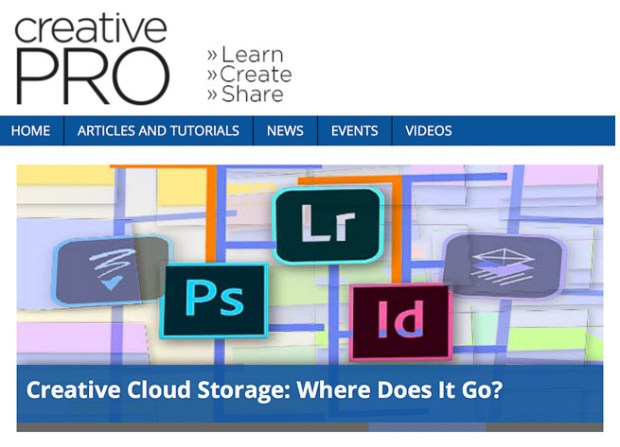
Creative Cloud Storage: Where Does It Go? — CreativePro.com article

Where do Adobe Creative Cloud desktop and mobile applications save your work? Does it surprise you to know that there are at least five possible answers to that question? This can cause a lot of confusion, especially for beginners.

In my article on CreativePro.com, I take a closer look at the different forms of Creative Cloud storage, and the different ways that desktop and mobile applications use them.

Creative Cloud Storage: Where Does It Go?

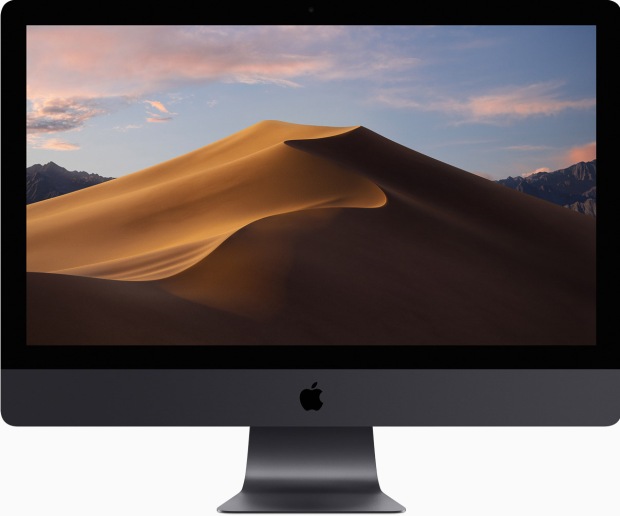
iMac with mac OS 10.14 Mojave desktop image

macOS 10.14 Mojave: Will Adobe software work?

With the release of macOS 10.14 Mojave, you’re probably wondering whether your Adobe software will work in this update to the Mac operating system.

With every macOS upgrade, full information about compatibility is typically not available on the day the new system is released or even shortly after. More information emerges over time, as Apple, Adobe, and other software developers test with the final public release and produce updates with fixes. I’ll update this article as new information comes out.

(more…)