Choosing an Adobe Portfolio Layout: CreativePro.com article

Choosing an Adobe Portfolio Layout is a companion article to one I wrote earlier for CreativePro (Using Adobe Portfolio). This article helps you decide which Adobe Portfolio layout should be the basis for your website. What really drives your choice out of the seven layouts currently available? What can you change about the layout you choose? Is it easy to change your mind?

If “build my website” is still on your To Do list, Adobe Portfolio is a quick and easy way to get a focused body of work online. Especially if you’re an Adobe Creative Cloud member, since Adobe Portfolio is available only as a benefit of an Creative Cloud membership (including the $9.99/month Photography Plan).

You can read the article at the following link:

Choosing an Adobe Portfolio Layout

Using Adobe Portfolio: CreativePro.com article

If “build my website” is still on your To Do list, Adobe Portfolio is a quick and easy way to get a focused body of work online. Especially if you’re an Adobe Creative Cloud member, since Adobe Portfolio is available only as a benefit of an Creative Cloud membership (including the $9.99/month Photography Plan).

How does Adobe Portfolio compare to the long list of other and often more established web-browser-based site builders? How easy is it to learn and use Portfolio? Does it have the features that photographers and designers need to show their best work?

I try it out and then tell you what I think in my article for CreativePro.com, which you can read at the following link:

Using Adobe Portfolio


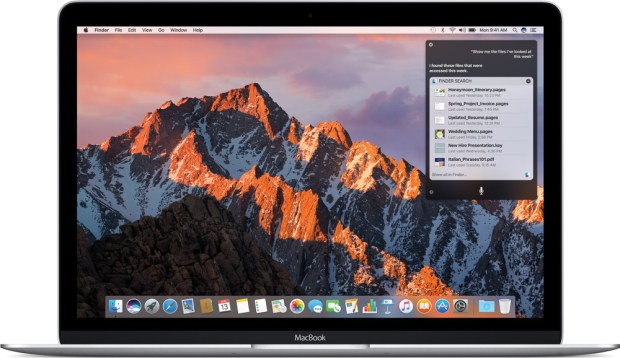
macOS 10.12 Sierra image, courtesy Apple Inc.

macOS 10.12 Sierra: Will Adobe software work?

Now that macOS 10.12 Sierra is available from the Mac App Store, you’re probably wondering whether your Adobe software will work in the new Mac operating system.

With every Mac system upgrade, information about compatibility is often not available on the first day the new system is available, and emerges over time. If you use your Mac to run a business or as a serious hobby, do not upgrade to Sierra until you’re prepared to recover if things don’t work out. (That applies to any operating system upgrade on any device.) Wait until you are confident that all of your software and hardware is compatible, then back up everything, then upgrade. With that in mind, here’s what I know so far about the state of Adobe software in Sierra.

(more…)

Exploring self-published photo books: InDesign Magazine article

My friends at InDesign Magazine asked me to explore self-published photography books for the June 2016 issue. In my article Manual Exposure: Eye-Opening Self-Published Photography Books I write about photography books from four countries, focusing on the book designers and their creative approaches.

(more…)

Two photographs selected for City Panorama 2016

I’m honored and pleased that two of my panoramic photographs have been selected for the City Panorama 2016 public arts program. One of the images is a panorama of a sunset that includes The Needles and Haystack Rock in Cannon Beach, Oregon; and the other is of Dusty Lake in eastern Washington state.

City Panorama is an annual project that displays inspirational panoramic format art on Metro bus shelters throughout Seattle and King County. The art will appear on 8-foot-wide wood panels, and may be displayed for up to ten years. The process of printing, mounting, and siting all of the selected works takes several months.

I shot the Dusty Lake photo from a high point on a ridge above the lake. Dusty Lake sits in a depression gouged out by Ice Age floods, about 200 feet below the top of the ridge. To get a sense of the field of view for this image, the lake is over half a mile long, and the far end of the ridge in the distance on the right is about a mile and a half away.

Both of my images are multiple-frame panoramas photographed in camera raw format, then merged and processed in Adobe Lightroom, with some additional edits in Adobe Photoshop as needed.

Thank you to Photographic Center Northwest, King County Metro, and Youth in Focus as well as the panel of jurors from those organizations who selected the images. Thanks also to 4Culture who fund the program through a grant.

For more information and to see the complete list of photographers and artists whose work was selected, visit City Panorama 2016 (Photo Center Northwest).

Update: Haystack Rock panorama installed

I received word that the Haystack Rock sunset panorama was installed at Stop #9560, a northbound bus stop at Eastlake Avenue East and Harvard Avenue East in Seattle. You can see the work installed on site in the photos below, as well as a map of the location.

Haystack Rock panorama by Conrad Chavez installed on site

A roughly 150-degree panorama of the Cannon Beach photograph shown in the context of the site. The photograph is installed inside the shelter. The right side of this image looks south along Eastlake Avenue East, which is how buses coming from downtown Seattle approach the stop.

A closer look at the Haystack Rock panorama by Conrad Chavez installed on site

A closer look at the panorama installed inside the bus shelter.

Detail of photo credits

Detail of photo credit and sponsor logos. There’s evidence of graffiti, which is to be expected. A maintenance crew has apparently done a partial job of removing the graffiti.

Here‘s a map of the location, it’s under the Interstate 5 bridge:

The artists have no input as to where the photographs are installed, so I was pleased that Metro installed my work at a bus stop that I actually used back in high school to get home.

I’m still waiting to find out where Metro installs the Dusty Lake photo. Installation of the long list of City Panorama works may take until late spring 2017.