Articles

Creating Image Vignettes: InDesign Magazine article

An image vignette is a time-honored way to draw attention to the subject of an image by darkening or fading its edges. Because InDesign isn’t an image editor, you might naturally decide to add a vignette to an image in Adobe Photoshop before importing it into Adobe InDesign. But you can actually create image vignettes easily in InDesign. And an image vignette you create in InDesign can be more flexible than a vignette created in Photoshop. Most importantly, saving an InDesign image vignette as an Object Style makes it easy to apply and edit a vignette consistently across a large number of images in the same InDesign document, such as a catalog.

My friends at InDesign Magazine asked me to explore InDesign image vignettes for the May 2017 issue. In my article Creating Image Vignettes I write about several approaches to creating different types of image vignettes.

InDesign Magazine is a bimonthly PDF periodical devoted entirely to Adobe InDesign and to the thriving community of InDesign professionals. With editorial direction by page-layout guru and author David Blatner and CreativePro.com editor in chief Mike Rankin, InDesign Magazine brings you the in-depth features, reviews, and tutorials you need to master Adobe InDesign.

Premium members of InDesign Secrets get the latest issue of InDesign Magazine plus access to all back issues. An InDesign Secrets premium membership may interest you if you want to advance your InDesign skills with the help of some of the most knowledgeable InDesign users in the industry.

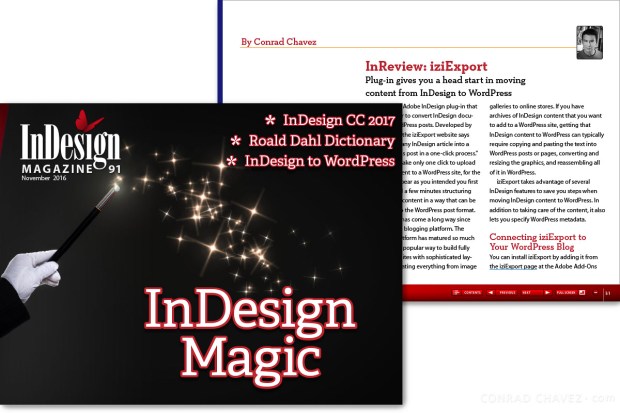
InDesign to WordPress: iziExport review for InDesign Magazine

iziExport is an Adobe InDesign plug-in by Revolumedia that makes it easier to convert InDesign documents to WordPress posts, so it’s an intriguing option if you’re interested in converting some of your InDesign documents for publication on a WordPress-based web site. I reviewed iziExport for InDesign Magazine (November 2016).

(more…)

Getting the Most Out of the Adobe User Forums (featured image)

Getting the Most Out of the Adobe User Forums: CreativePro.com article

In an article I wrote for CreativePro, you’ll learn some simple strategies to help you get a great answer more quickly in the Adobe Forums — a free community-based resource for questions about Adobe software such as Photoshop and InDesign. Many forum members use Adobe software in production every day, so they can have useful insights and are sometimes aware of problems before they’re officially documented by Adobe. I’ve participated in the Adobe Forums for many years, and am now an Adobe Community Professional there.

Read my article at the following link:

Getting the Most Out of the Adobe User Forums

Choosing an Adobe Portfolio Layout: CreativePro.com article

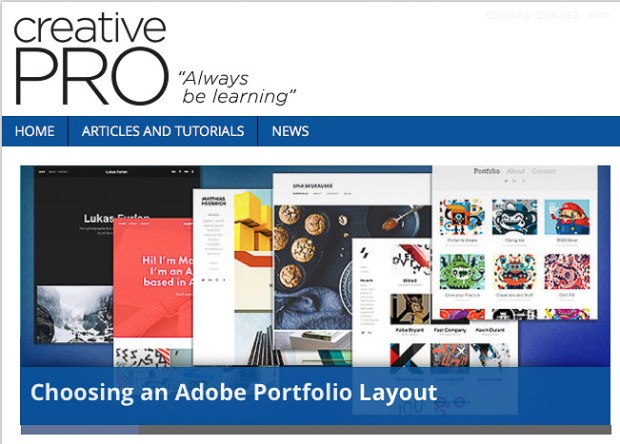
Choosing an Adobe Portfolio Layout is a companion article to one I wrote earlier for CreativePro (Using Adobe Portfolio). This article helps you decide which Adobe Portfolio layout should be the basis for your website. What really drives your choice out of the seven layouts currently available? What can you change about the layout you choose? Is it easy to change your mind?

If “build my website” is still on your To Do list, Adobe Portfolio is a quick and easy way to get a focused body of work online. Especially if you’re an Adobe Creative Cloud member, since Adobe Portfolio is available only as a benefit of an Creative Cloud membership (including the $9.99/month Photography Plan).

You can read the article at the following link:

Choosing an Adobe Portfolio Layout

Using Adobe Portfolio: CreativePro.com article

If “build my website” is still on your To Do list, Adobe Portfolio is a quick and easy way to get a focused body of work online. Especially if you’re an Adobe Creative Cloud member, since Adobe Portfolio is available only as a benefit of an Creative Cloud membership (including the $9.99/month Photography Plan).

How does Adobe Portfolio compare to the long list of other and often more established web-browser-based site builders? How easy is it to learn and use Portfolio? Does it have the features that photographers and designers need to show their best work?

I try it out and then tell you what I think in my article for CreativePro.com, which you can read at the following link:

Using Adobe Portfolio