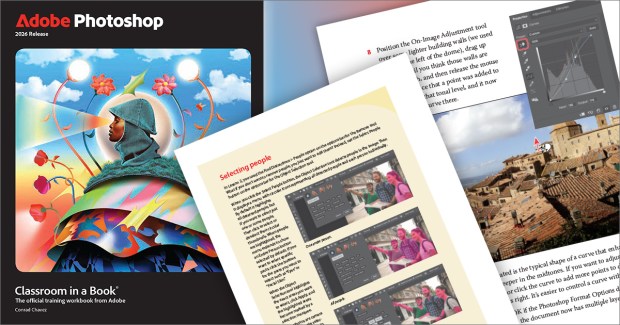
I revised the Adobe Photoshop Classroom in a Book for the 2026 release of Photoshop, and the book is now coming off the presses! A 35% discount code is available later in this article.
The Classroom in a Book series is tutorial-based; you can follow along using downloadable lesson files. Fifteen project-based lessons lead you step-by-step through key Photoshop techniques. You’ll learn how to correct, enhance, and distort digital images, create image composites, and prepare images for print and the web.

Classroom in a Book focuses on tutorials that provide a foundation for certain key skill sets, so it isn’t a comprehensive reference book about Photoshop. It’s a great book for beginners, or for those who haven’t used Photoshop in a while and need to catch up with how the fundamental Photoshop workflow has changed over the years. I’ve been editing Adobe Photoshop Classroom in a Book for over 10 years.
What’s different in this edition?
Adobe recently updated Photoshop in ways that can greatly simplify basic photo editing workflows, especially for beginners. To teach Photoshop 2026 properly, I decided it was time to completely rewrite two fundamental lessons.
I rewrote lesson 2, “Basic Photo Corrections,” because some traditional image editing steps can now be more straightforward because of recently added Photoshop features such as the Color and Vibrance adjustment layer, Adjustments presets, and easier-than-ever removal of unwanted distractions with the Remove tool. I also wrote an improved introduction to the essential Curves adjustment layer. A basic editing workflow can just use Brightness/Contrast or Levels, but those aren’t difficult to learn on one’s own. I decided it was more important to teach the principles of adjustment curve editing not just because you get much more precise control over contrast, but because knowing how curves work is a transferable skill that’s useful in many features across 2D and 3D graphics, video, and audio applications.
I also rewrote lesson 3, “Working with Selections.” For many years, the basics of selection were based around the selection tools we’ve had for over a third of a century such as the Rectangle Marquee, Elliptical Marquee, and Lasso tools. But most real-world selection areas are not perfectly geometric or simple; selecting edges of subjects such as people, skies, trees, and hair required advanced techniques that took study, time, and practice to do well. Fortunately, smart new Photoshop options such as Select Subject, Select Sky, the flexible Object Selection tool and its powerful Select People option make it much easier to instantly create the kinds of selections we actually need most of the time. Lesson 3 now focuses on those selection techniques.
Discount code available
You can order the book from your local bookstore, or buy it online at websites such as Peachpit (save 35% with the discount code on the Adobe Creative Cloud 2026 books page) and Amazon.
The book is available in print, eBook, and web editions. The web edition includes extra quiz questions and videos that demonstrate each of the step-by-step procedures.

 conrad chavez | blog